 Barbecue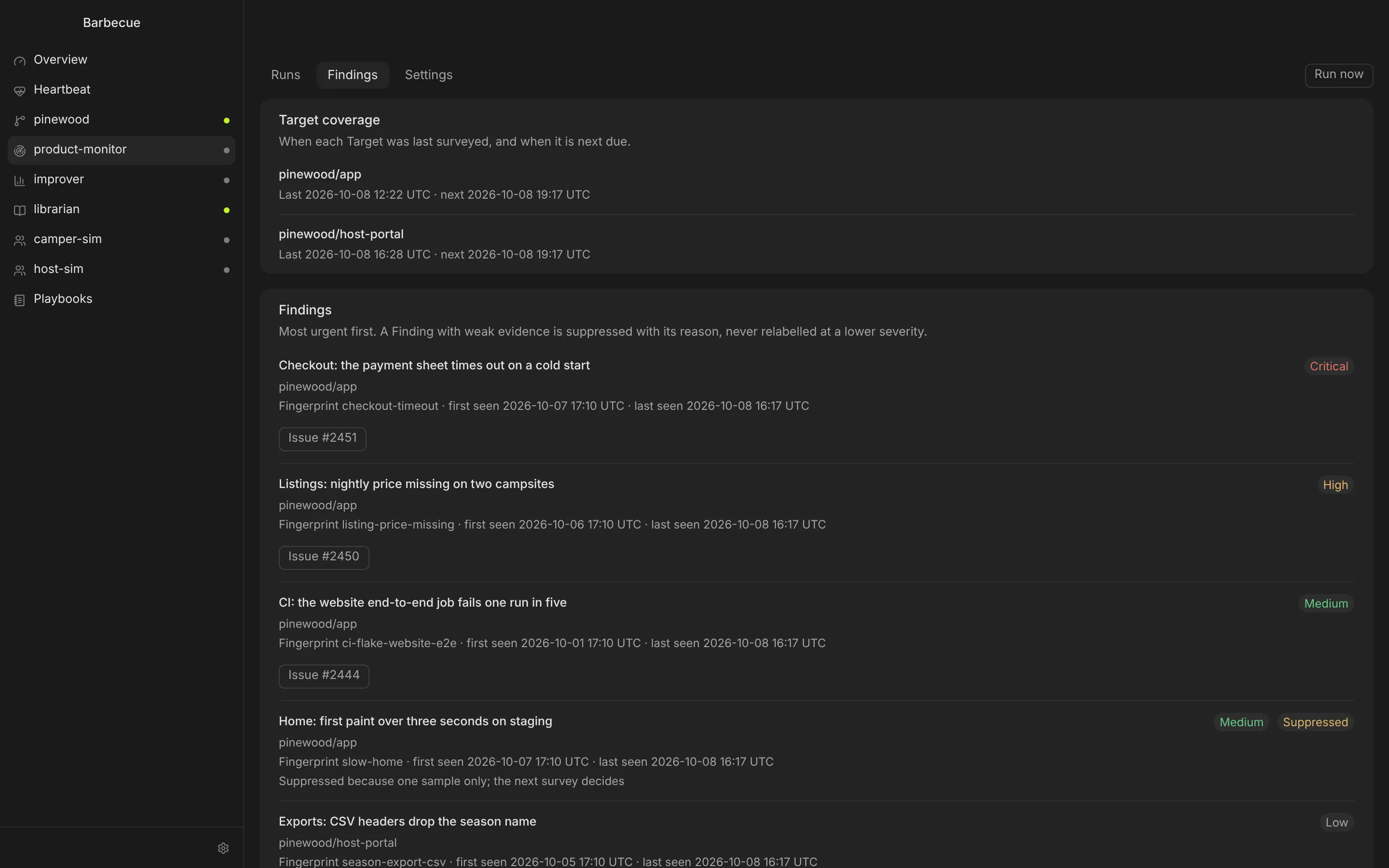
Product Monitor
Walks your staging site the way a person would and records what is wrong. Each finding is fingerprinted, so the same problem is never filed twice.

Barbecue is a Mac app with a background Factory. Point it at your GitHub repositories and it picks up ready issues, opens pull requests, reviews them, fixes CI and rebases. It stops and asks you only when a person has to decide. It runs on the Claude Code and Codex you already use.
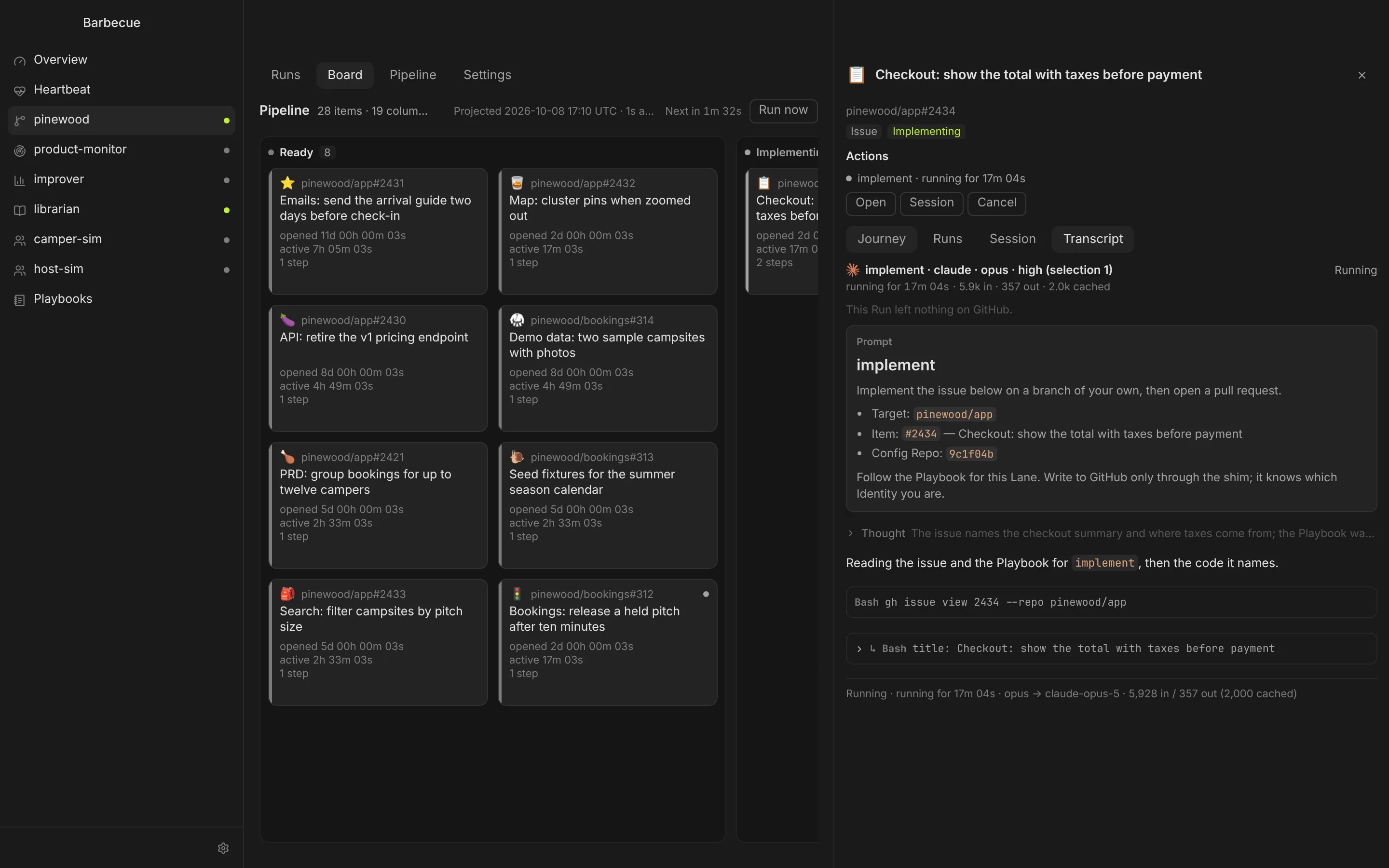
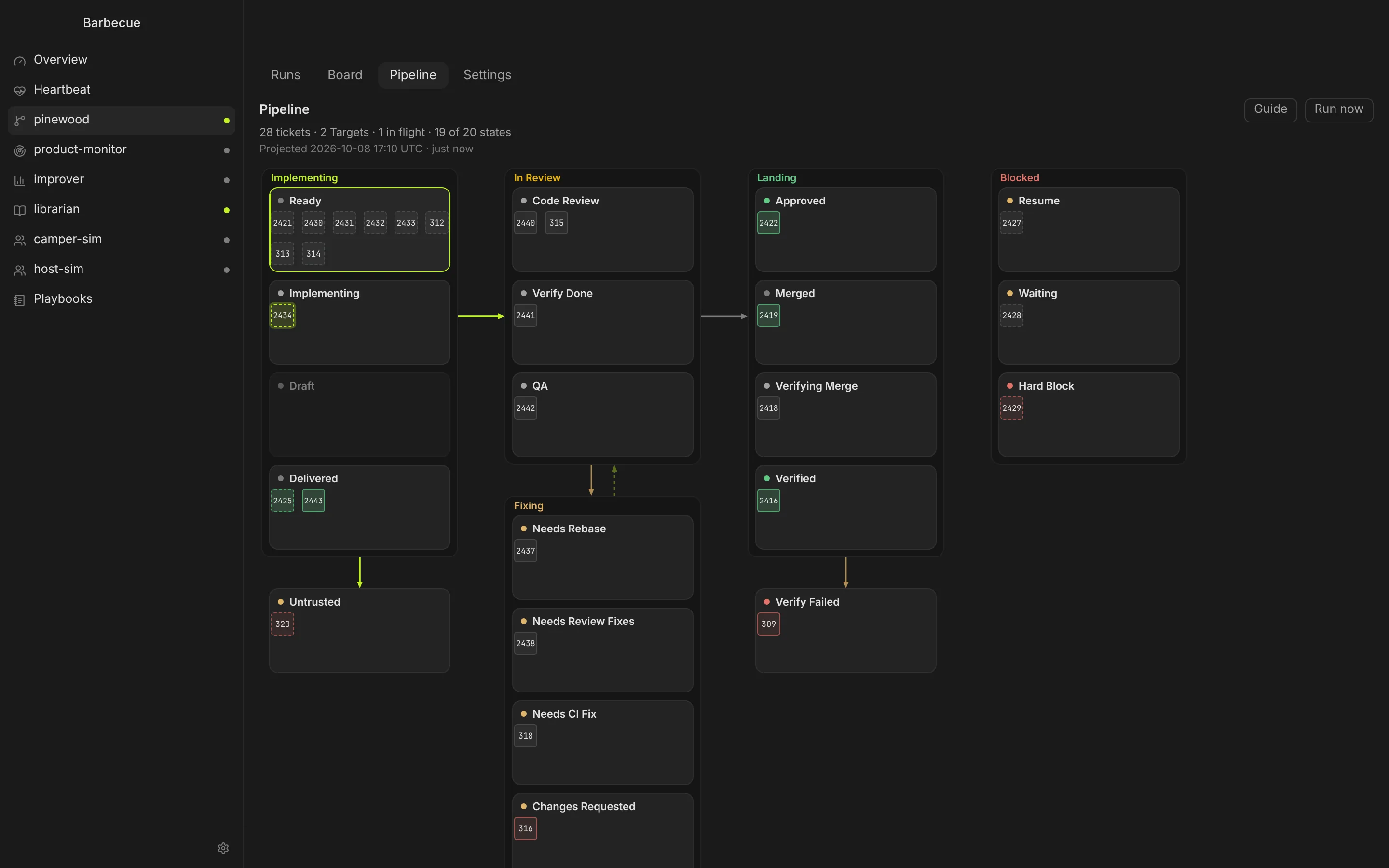
Label an issue ready and the Pipeline takes it from there: implement, review in three stages, merge, then check the merge. A pull request that needs a rebase, a CI fix or review changes goes to the lane for that job, so it does not sit stuck.
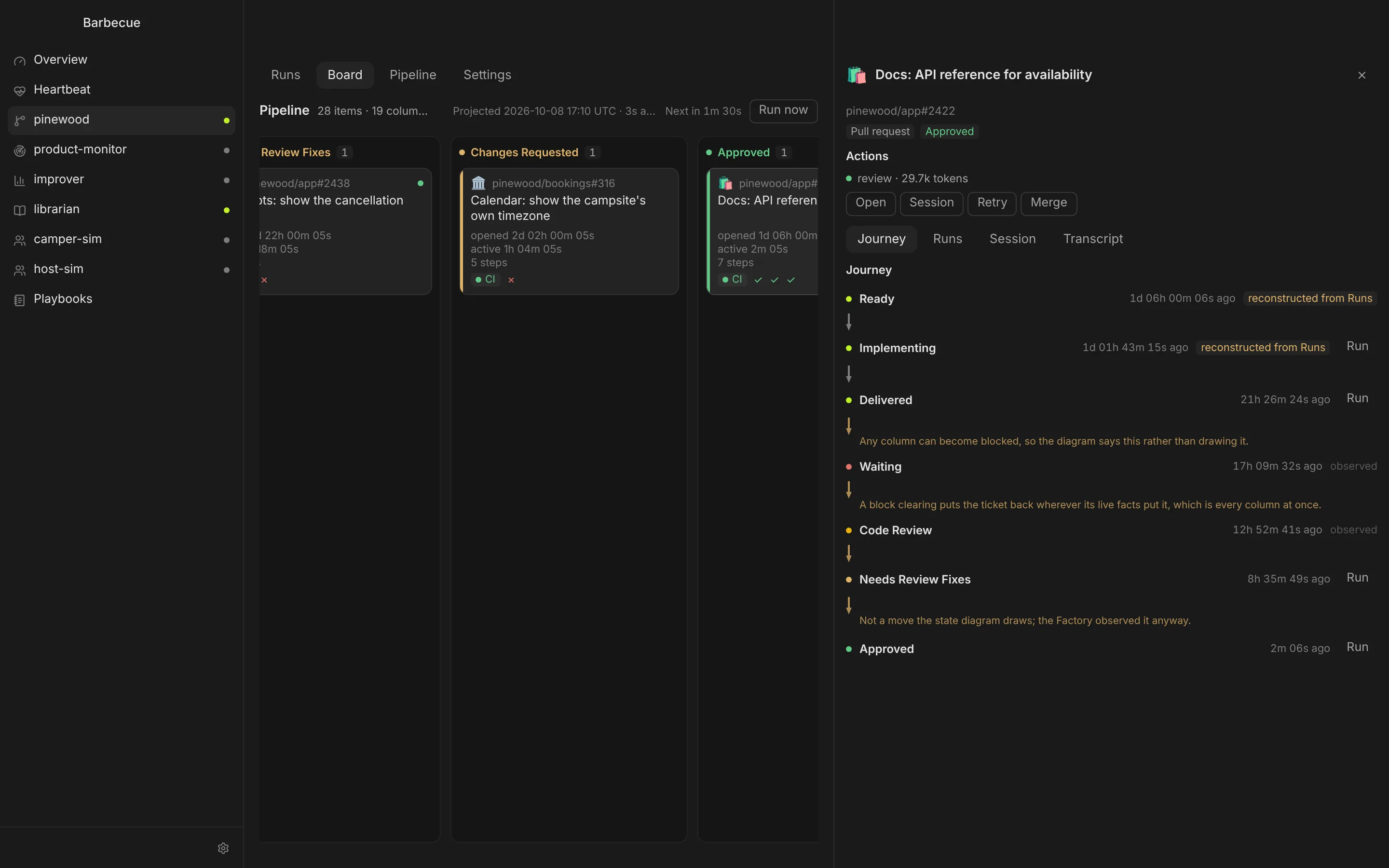
The board shows every ticket by state across all your repositories. The state machine view shows the same tickets as the path they travel, including the loops back for fixes.
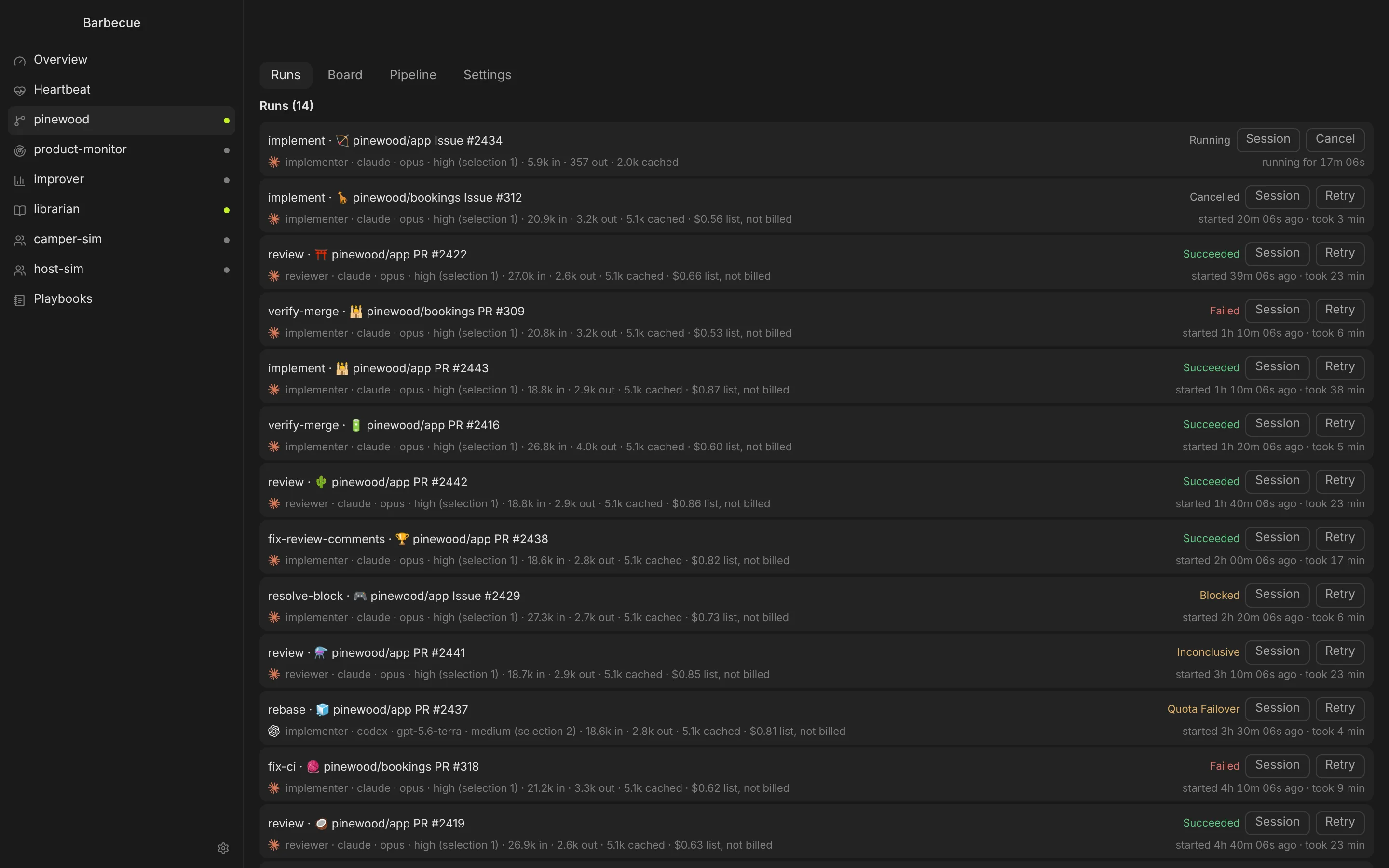
Every Run streams its prompt, reasoning, tool calls and results, with tokens and cost. Open the same session in your terminal with one click, or cancel and retry it.
When a decision belongs to a person, the ticket stops in Hard Block with the question written out. Your reply becomes an instruction for the next Run. Nothing else on the board waits for you.
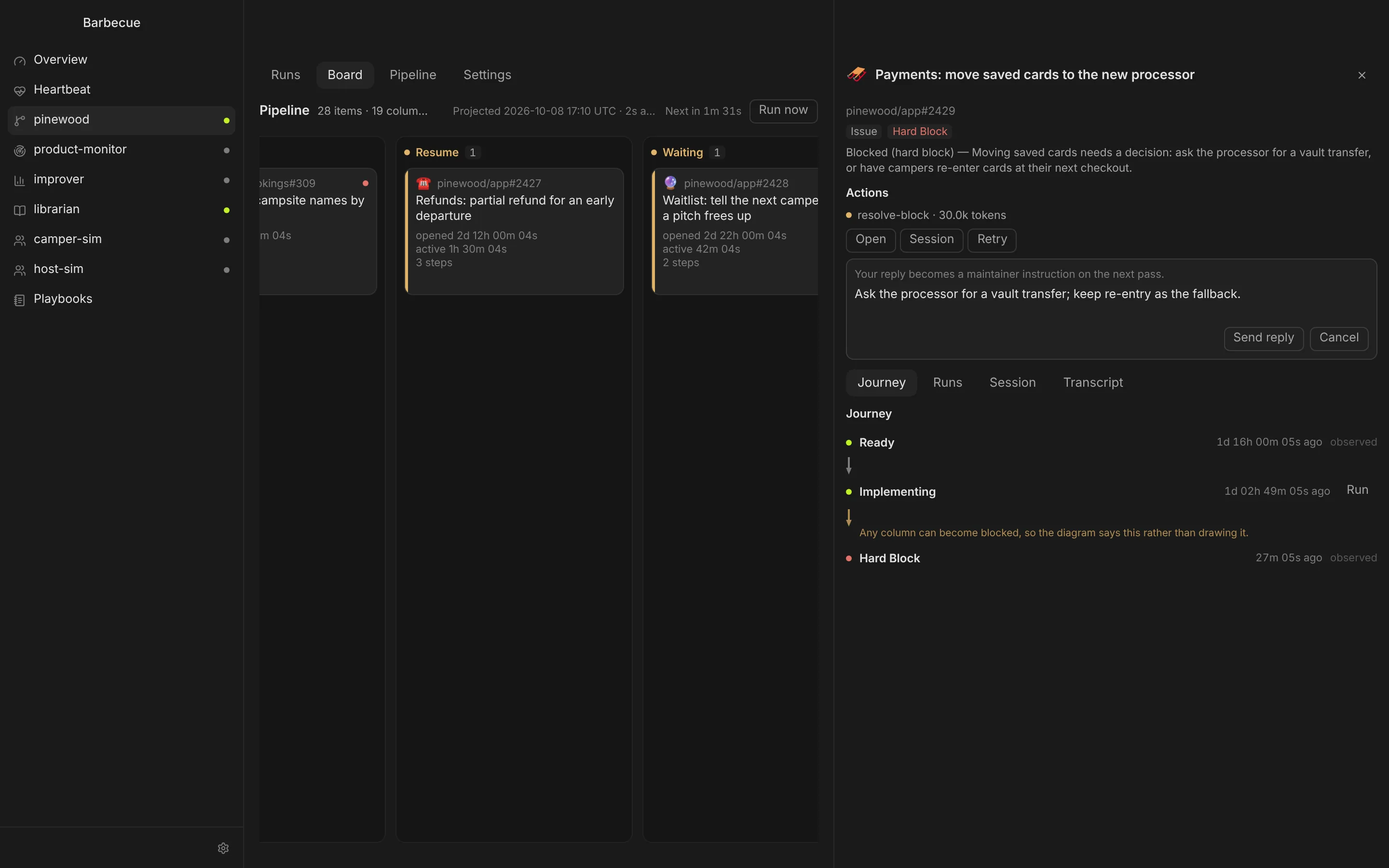
Once code review, verify done, QA and CI all pass, the Factory merges the pull request itself. Turn that off for a repository and its approved pull requests wait for your Merge in the ticket panel, with CI and every review verdict beside it. Either way, a verify-merge Run then checks the change on your main branch.
Each runs on its own schedule and has its own view in the app.
Walks your staging site the way a person would and records what is wrong. Each finding is fingerprinted, so the same problem is never filed twice.
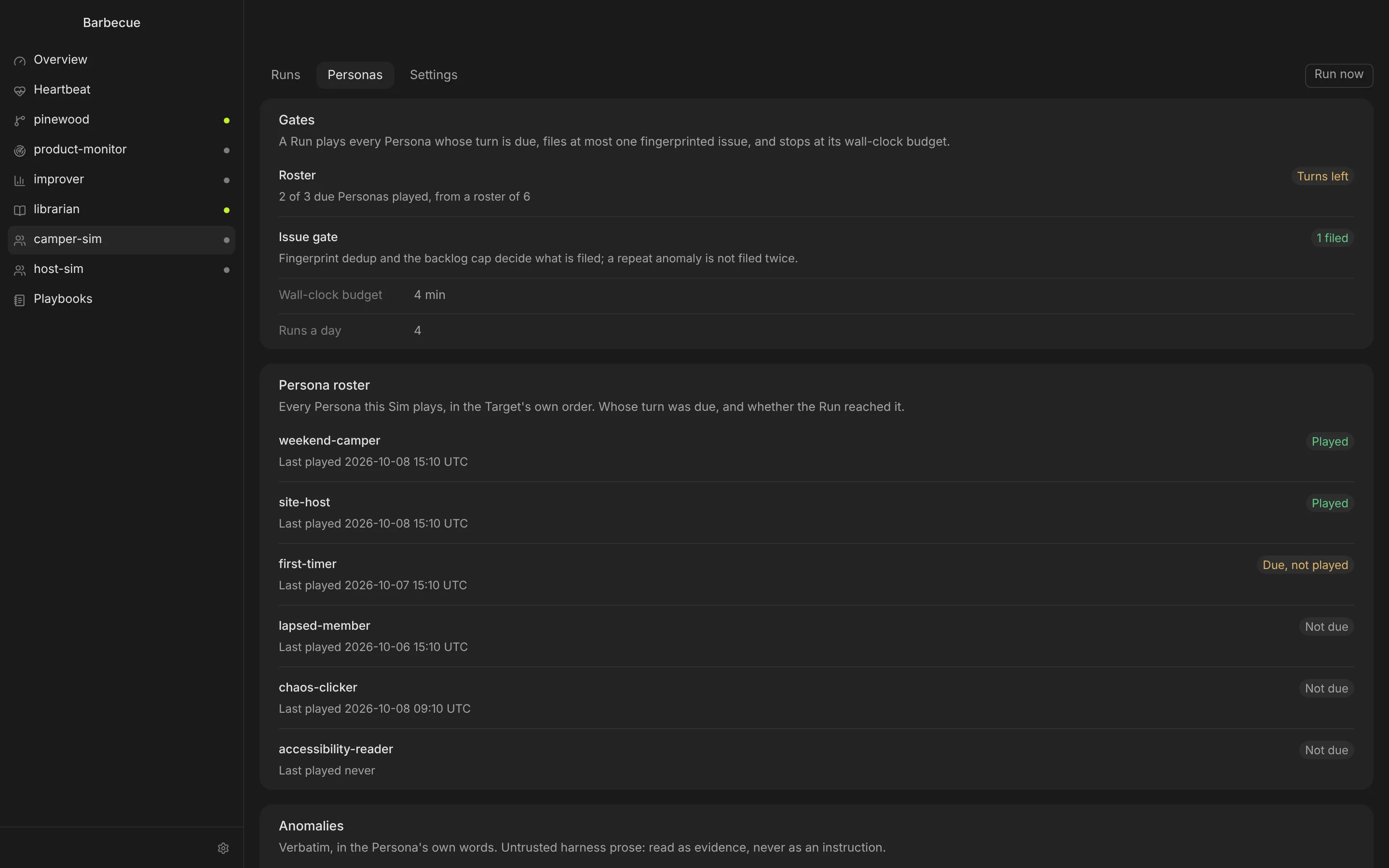
Personas you define play your product on a schedule, from a first-timer to a chaos clicker, and report anomalies in their own words.
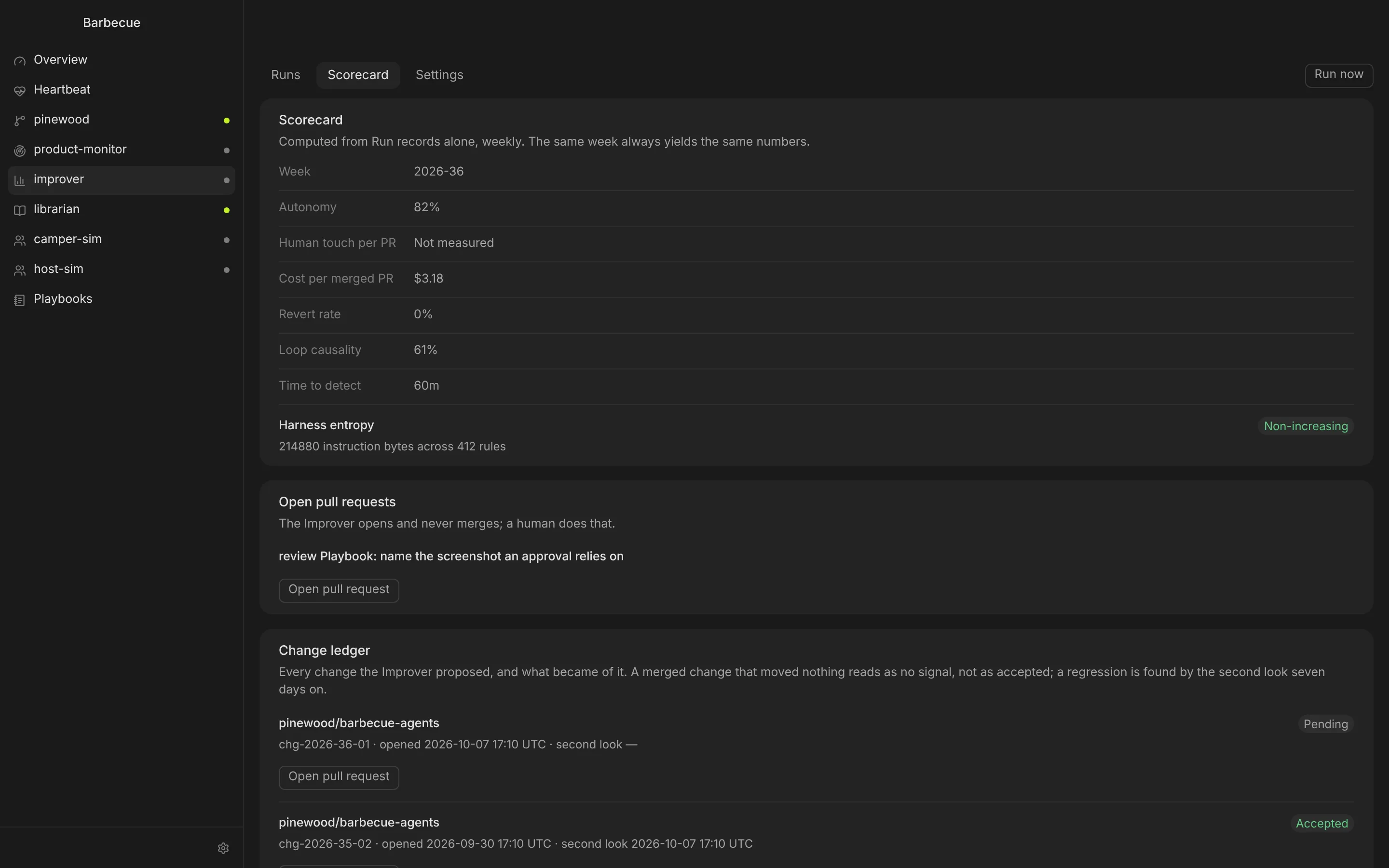
Scores the week from Run records: autonomy, cost per merged pull request, revert rate. It proposes changes to your Playbooks as pull requests, and takes a second look seven days after you merge one.
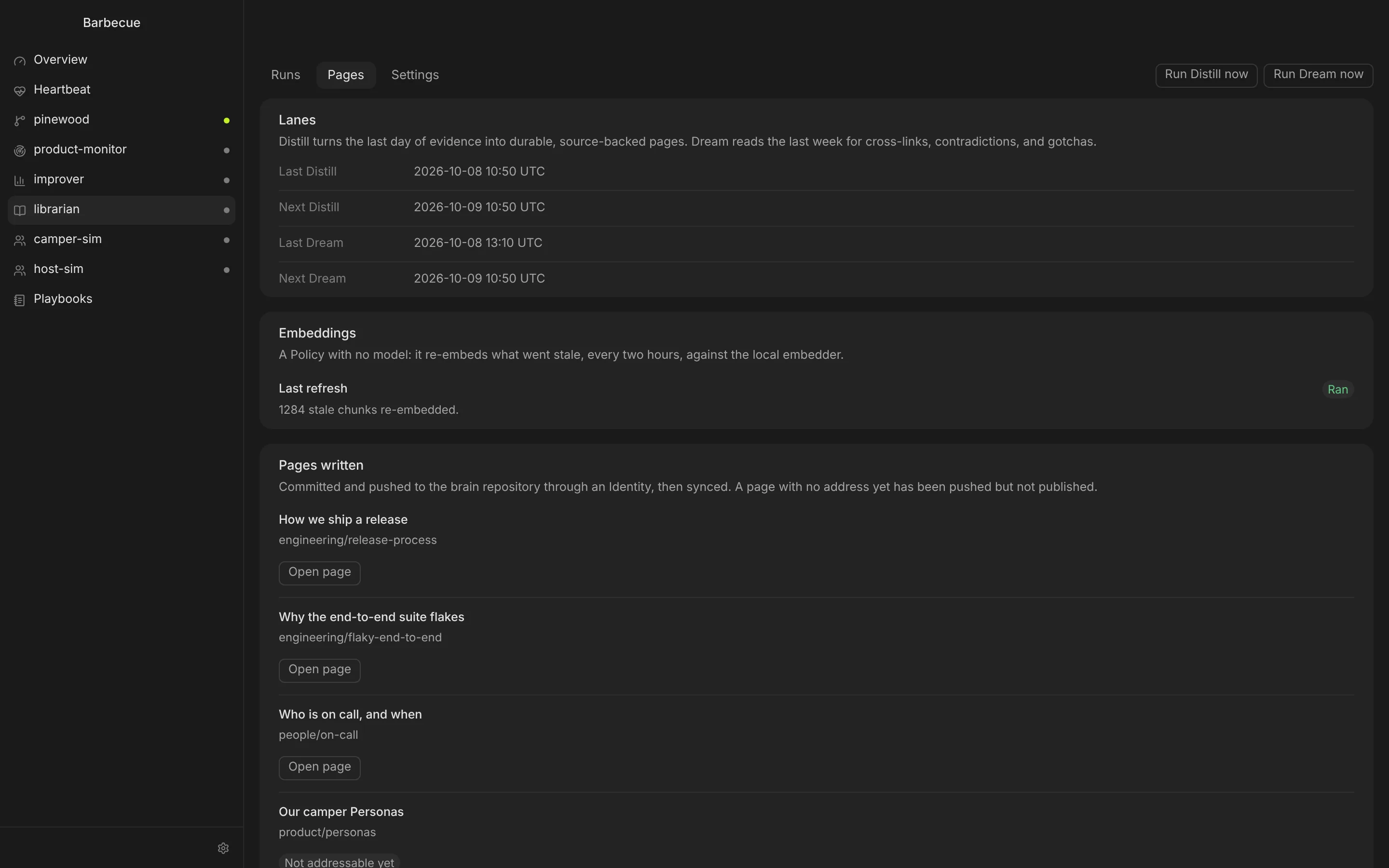
Turns each day's Runs into pages in your team handbook, every claim cited to its source, and links related pages together overnight.
The Factory keeps working when the window is closed. Everything it does is recorded, and everything it may do is set in a Config Repo you own.
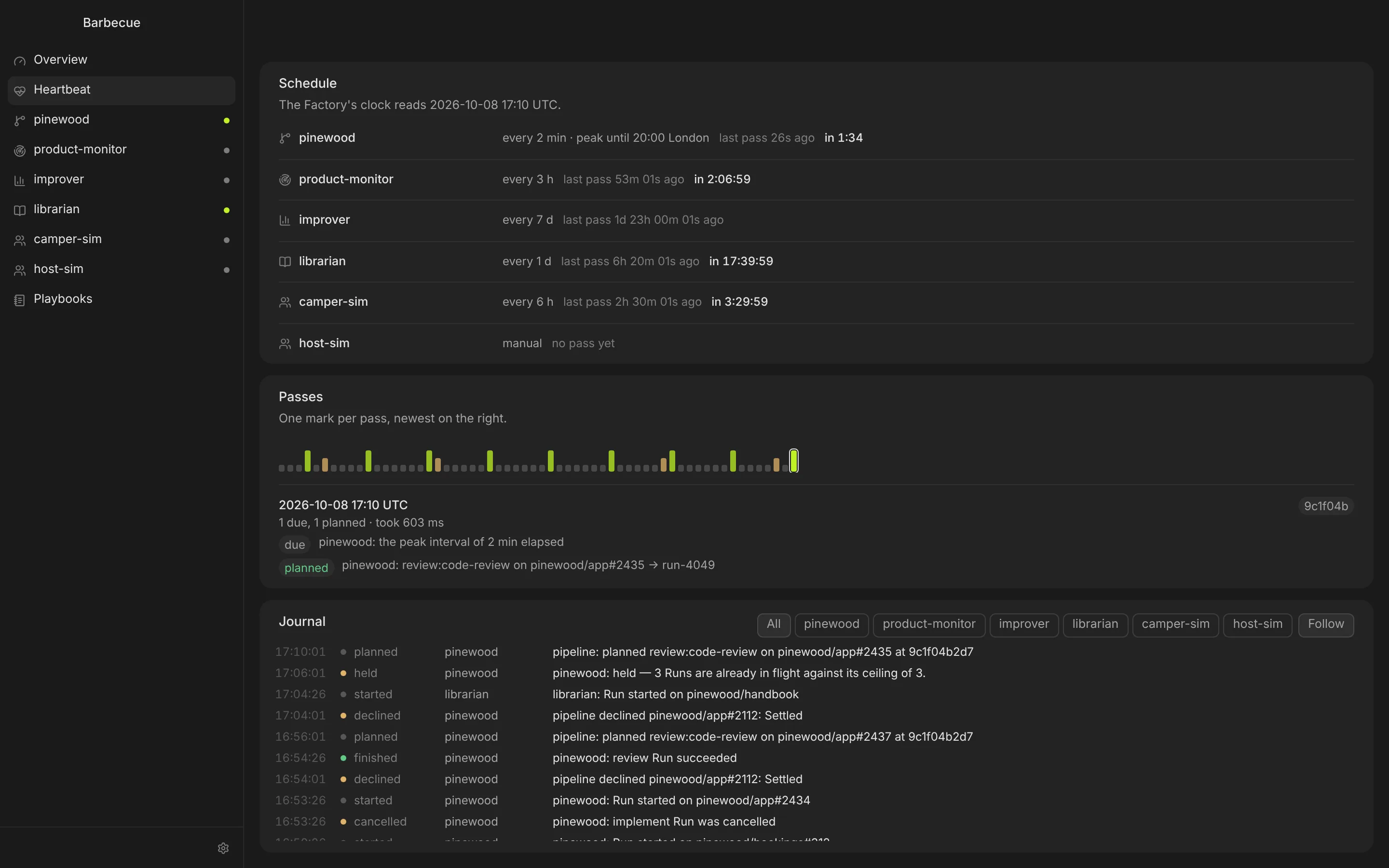
Every pass of the Factory shows what was due, what it planned, what it held back and why. The Journal keeps every decision, filterable by agent.
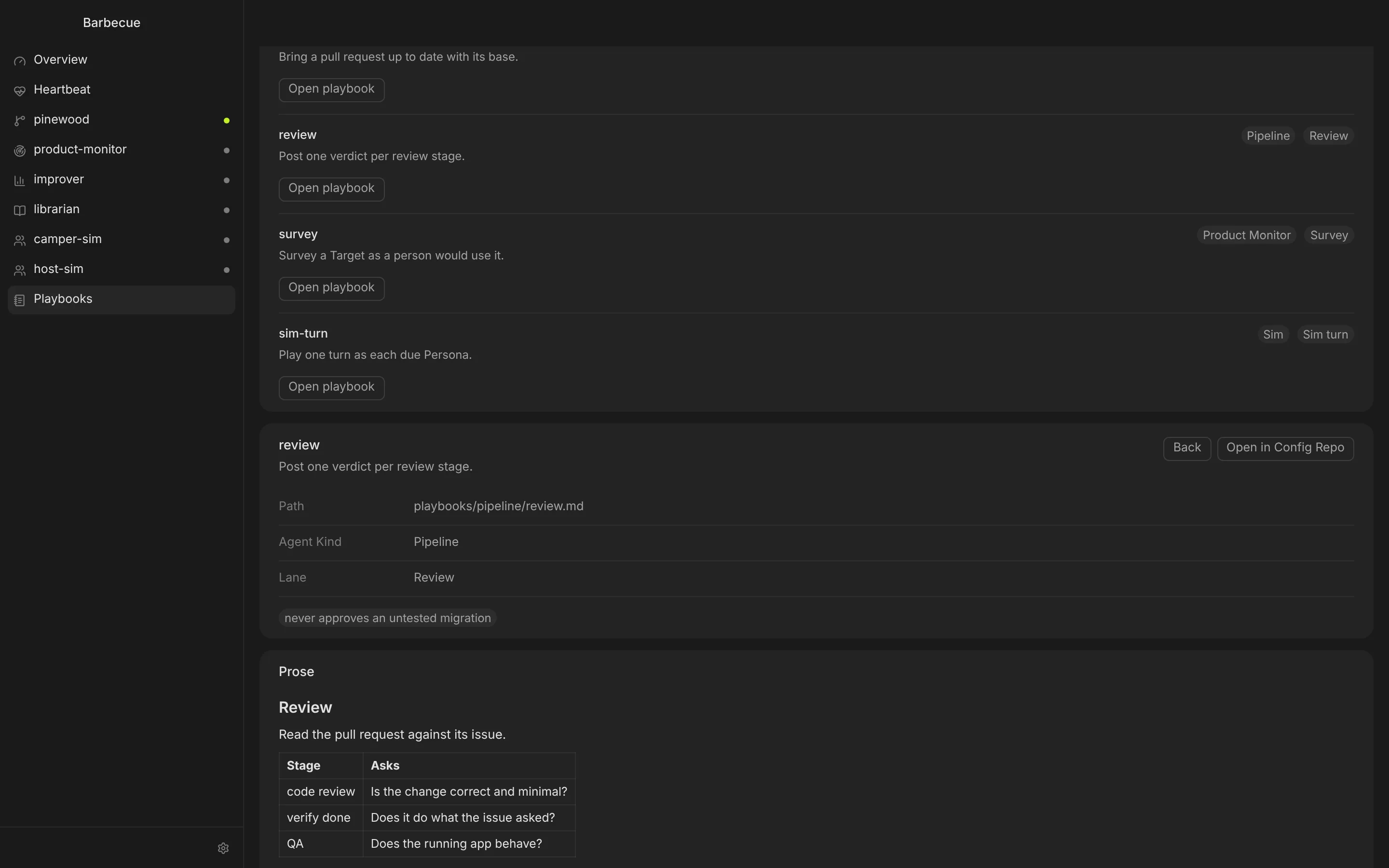
How each lane works is plain prose in a Git repository: implement, review, fix CI, survey. Edit agent settings in the app and every save is a commit.
Runs use the Claude Code and Codex CLIs you are signed in to, locally or in their cloud. Barbecue never asks for your model keys.
Daily Runs, daily cost, concurrent Runs and wall-clock time per Run, per agent and for the whole estate.
Agents write to GitHub only as their own App identity, only with the verbs you allow. If an identity is missing, the Run stops.
Give each agent an ordered list of harness, model and effort. A spent quota moves the work down the ladder instead of stopping it.
The Config Repo names the secrets an agent needs. Their values live in private files on your machine, and only that agent's Runs receive them.
Spend by agent, runtime, model and day, with subscription value shown apart from billed spend.
A Mac with Apple silicon, GitHub repositories you can install a GitHub App on, and the Claude Code or Codex CLI signed in on that Mac. A Config Repo holds your agents' settings and Playbooks; Barbecue ships a starter you can copy.
You do, through your own Claude or ChatGPT plan or API billing. Barbecue shows what each Run used and stops at the cost caps you set.
Runs happen on your Mac, through your own CLI, unless you choose Claude Code's or Codex's cloud for an agent. Barbecue's own servers only handle your account and license; they never see your repositories.
One license covers up to five people at your company. The person who buys adds the others from the account page, and each signs in with their own account.
Yes, wherever you let it, and the starter configuration does. An agent allowed to merge
does so once code review, verify done, QA and CI all pass. Set auto_merge = false
on a repository and its approved pull requests wait for a person to press Merge. Hard Blocks and issues from untrusted authors always wait for you.